Terminal
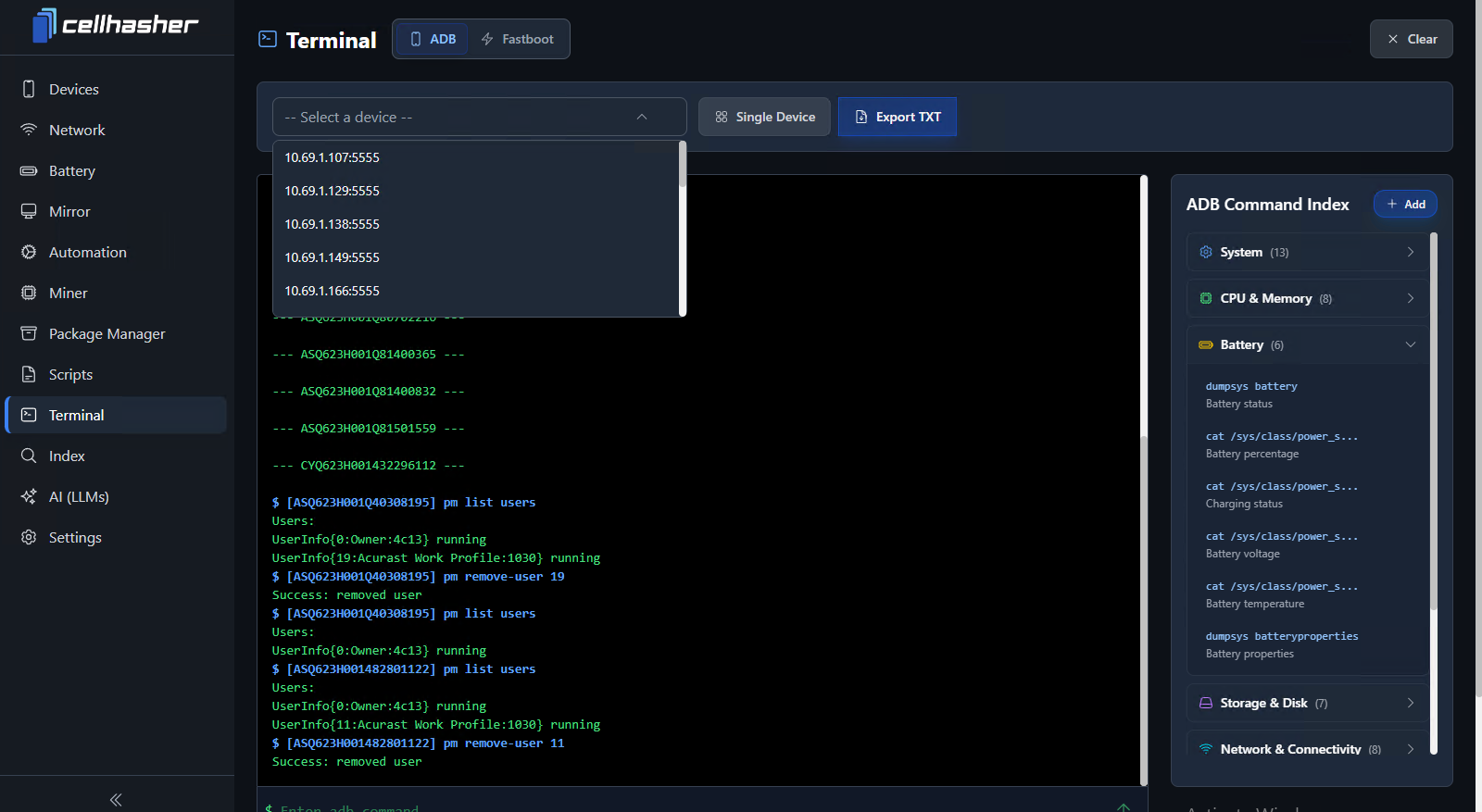
The ADB Terminal view showing multi-device command execution with categorized command index on the right.
ADB & Fastboot Modes
You can toggle between ADB and Fastboot modes using the top buttons. This flexibility allows you to manage devices in normal Android operation or while flashing firmware.
Tip: Know your mode — ADB is for in-system operations, Fastboot is for low-level firmware tasks.
ADB Command Index
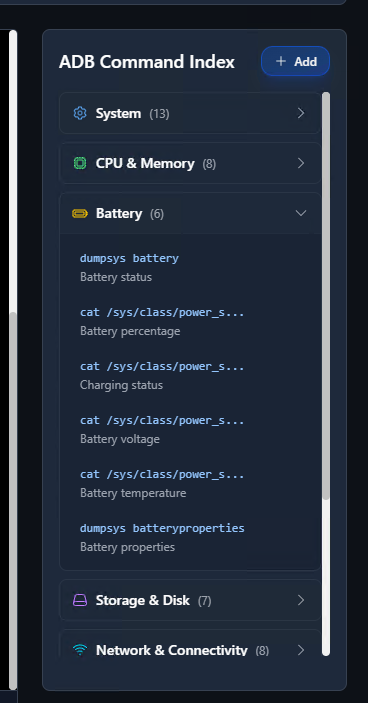
On the right side panel, you’ll find the ADB Command Index, a categorized list of helpful commands.\ You can expand sections such as:
- System
- CPU & Memory
- Battery
- Storage & Disk
- Network & Connectivity
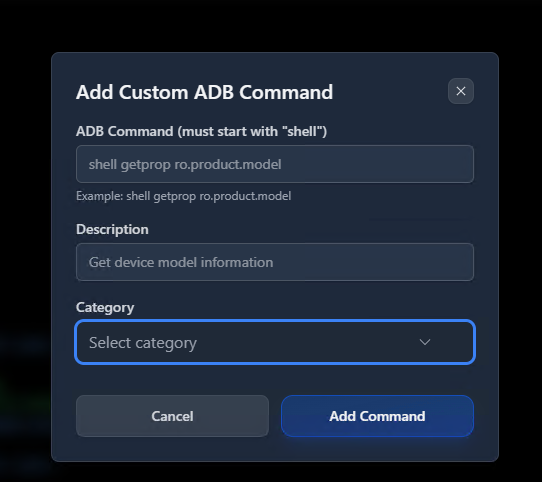
You can add your own custom commands or sections for quick reuse, or import them directly from the Index Page.
Running Commands
- Run a command on a single device by selecting it from the dropdown.
- Run a command on all devices by toggling the Single Device button (it will switch to “All Devices”).
Results appear live in the console, color-coded by device ID for clarity.
⚠️ Warning: The Terminal is powerful — don’t run commands blindly. Always research unfamiliar ADB or Fastboot commands before execution. Some system-level operations can soft-brick or wipe devices if used incorrectly.
Logging & Export
Use the Export TXT button to save terminal output logs for analysis, troubleshooting, or documentation.\ This makes it easy to keep records of operations across multiple devices.