Index
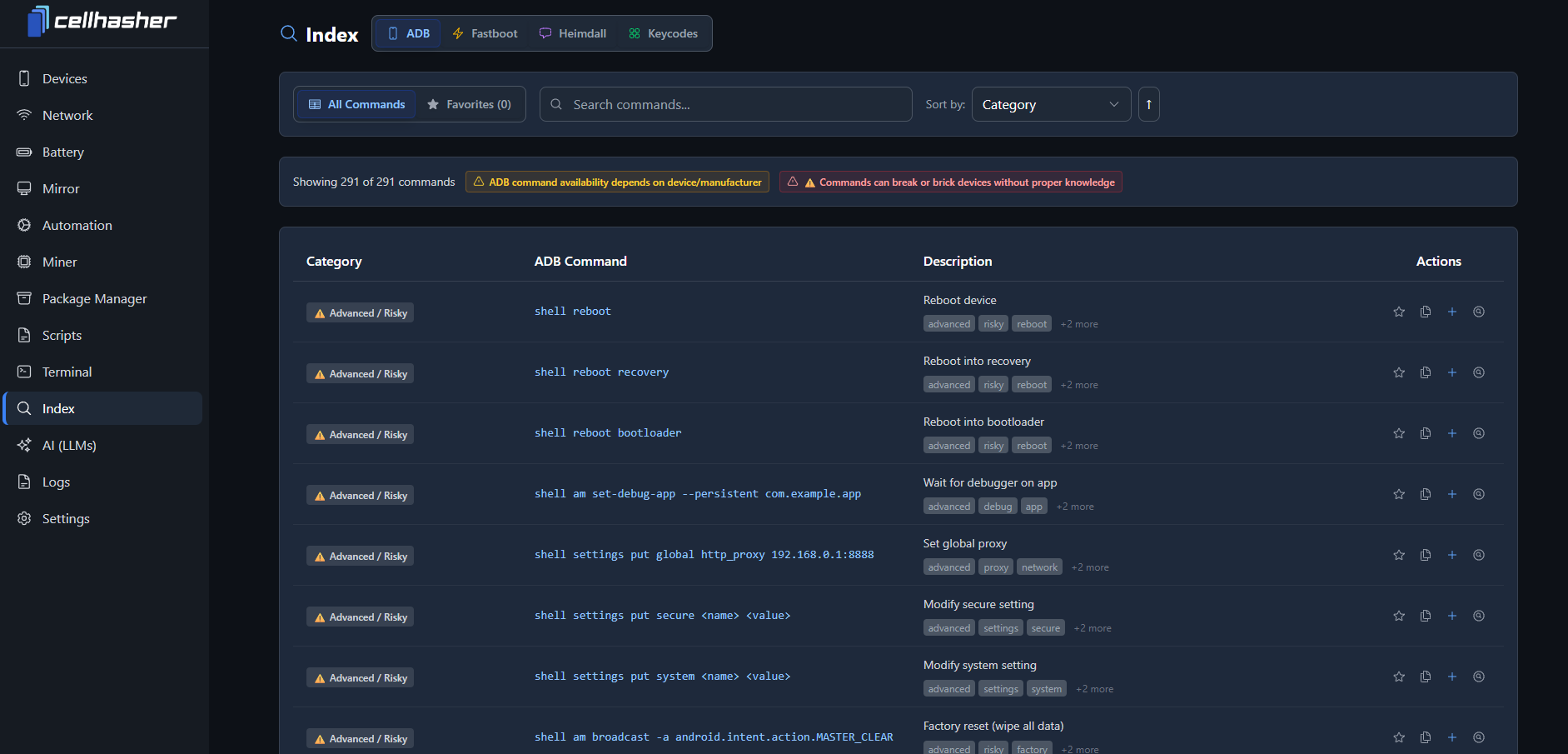
View of the Index tab
Indexes
The Index displays every available command categorized for safety and clarity. You can toggle between the difference indexes of:
- ADB – For in-system Android commands
- Fastboot – For low-level device operations and flashing
- Heimdall – Samsung-specific flashing tool
- Keycodes – Simulated button/key events via ADB
Command Library
The Index includes hundreds of categorized commands such as:
- System – App and permission control
- Battery – Power and thermal readouts
- Network – Connectivity & proxy setup
- Storage – Mounts, clear data, I/O operations
- Keycodes – Simulated physical button inputs
Each entry displays:
- Category (e.g., “Advanced / Risky”, “System Tools”)
- Command (full ADB or Fastboot syntax)
- Description with tags
- Actions for quick management
Some commands are tagged as Advanced / Risky. These can alter system partitions, erase data, or soft-brick devices if used incorrectly. Always confirm what a command does before executing it.
Commands marked as “Advanced / Risky” should only be used by experienced users or after testing on non-critical devices.

Actions & Shortcuts
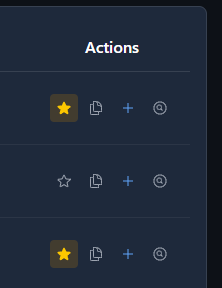
In the Actions column, you can:
- Favorite a command for quick access later
- Copy the command
- Add it using "+" directly to your Terminal Page ADB Index
- Search a command in your browser
Add Command to Page
You can easily insert any command from the Index into the Terminal Command Index using the Add Command prompt. This makes it possible to build your own quick-action menu for repetitive or complex workflows.
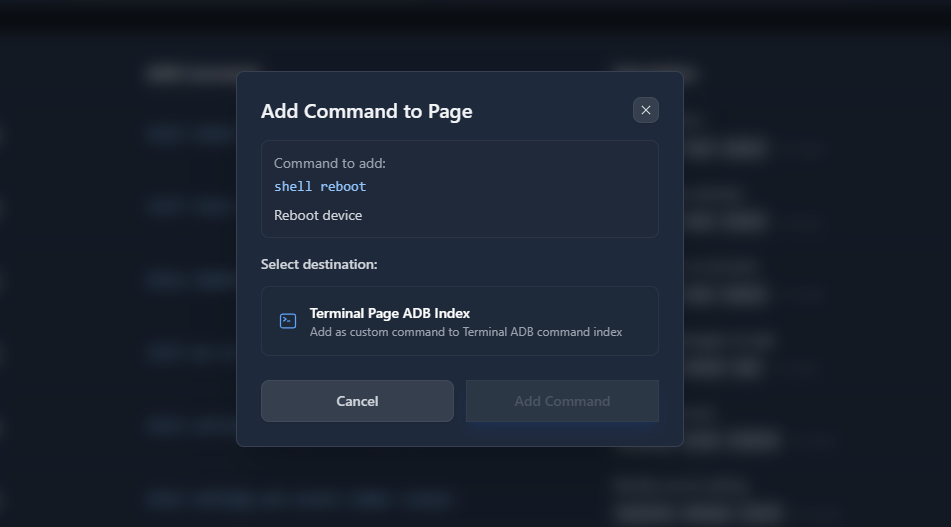
Example: Adding a shell reboot command directly to your Terminal index.