Automation
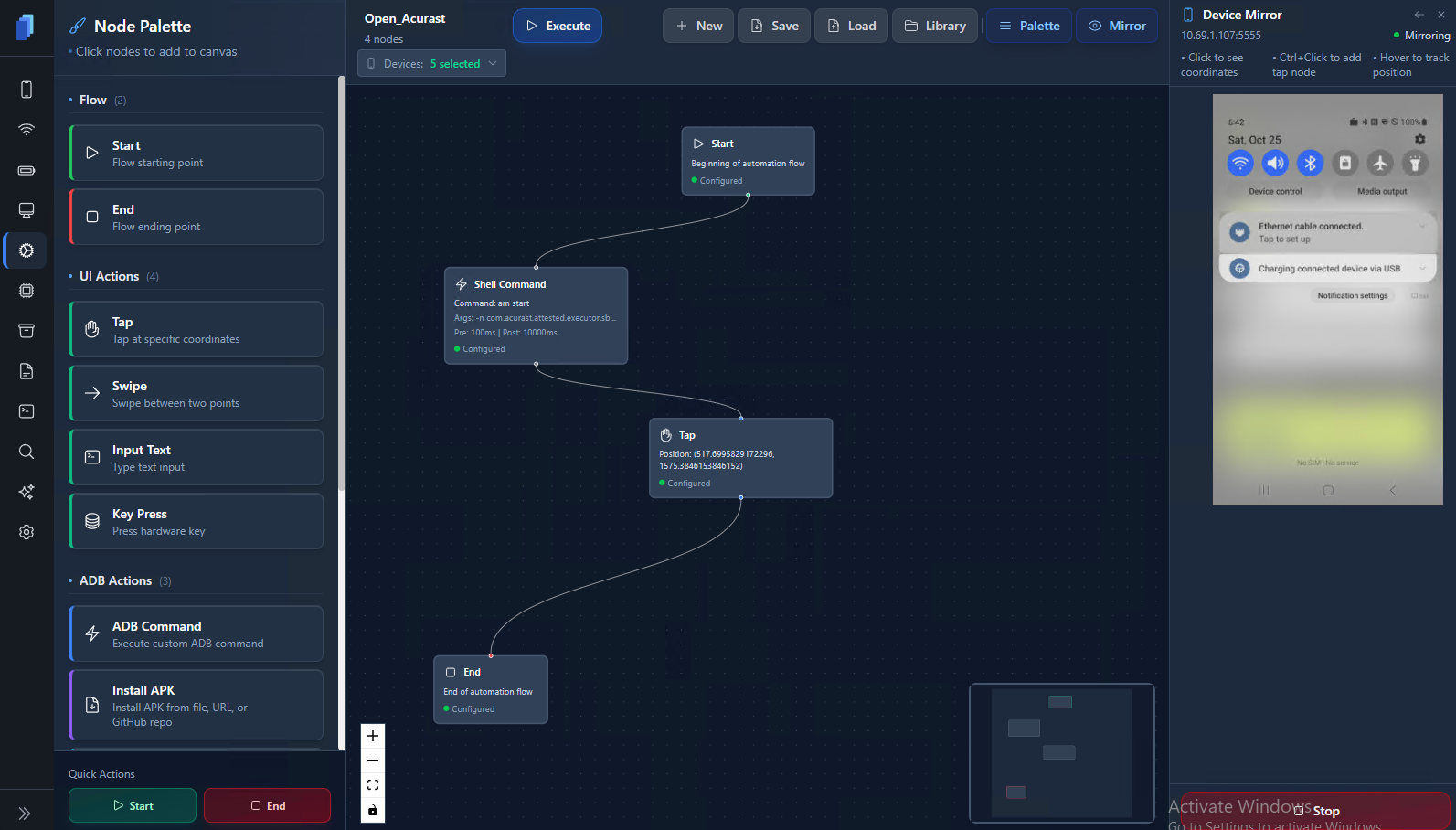
View of the Automation tab
Overview: A Visual Node-Based Automation
The Node Palette on the left panel contains drag-and-drop nodes you can use to build flows:
- Flow Nodes — Start and End blocks (entry and exit points).
- UI Actions — Simulate user input: Tap, Swipe, Type Text, or Press Keys.
- ADB Actions — Run custom shell commands, install APKs, or copy text to clipboard.
Each node is configurable and can include delays, arguments, or custom variables.
Nodes are connected together to form logical automation chains that execute step-by-step on selected devices.
| Feature | Description |
|---|---|
| Visual No-Code Builder | Drag-and-drop node automation |
| Multi-Device Execution | Run flows on multiple phones simultaneously |
| GitHub APK Integration | Auto-install from live repositories |
| Mirror | Build flows while viewing device feedback |
| Import a Flow | Supports JSON, TXT, and CSV |
| Device-Specific Taps | Adjust for different resolutions or layouts |
Click-to-Create Automation (Live Mirroring Integration)
When a device is mirrored on the right-hand side, you can:
- Hold
Ctrl+ Click anywhere on the mirrored screen.
→ A Tap Node is instantly added to your flow with exact coordinates captured.
This makes it easy to build flows live while seeing what’s happening on the actual device in real-time — ensuring perfect alignment of taps and actions.
Nodes Types
| Node Type | Purpose |
|---|---|
| Start / End | Defines beginning and end of the flow |
| Tap | Tap on-screen coordinates |
| Swipe | Swipe between two points |
| Input Text | Type text input (e.g. apply credentials) |
| Key Press | Simulate button (e.g. HOME or BACK) |
| ADB Command | Run any ADB shell command |
| Install APK | Install APK from file, URL, or GitHub |
| Set Clipboard | Copy text into device clipboard (e.g. paste QR data) |
| Wait / Delay | Add time between actions (e.g. add 10s of waiting margin) |
Example: Setting up Acurast Processor (Lite)
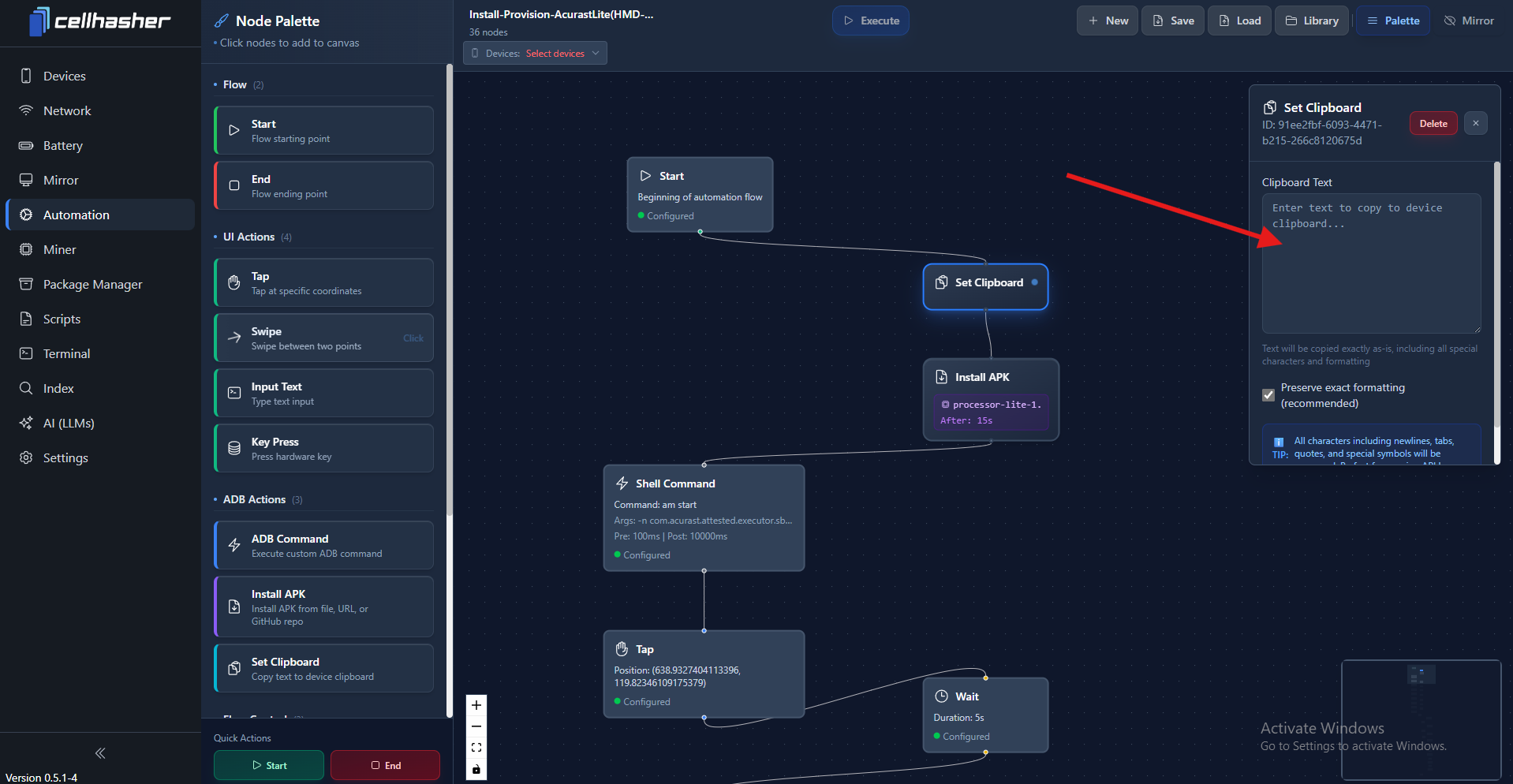
One of the most common uses of this page is for Acurast provisioning, using the built-in Install-Provision-AcurastLite Flow.
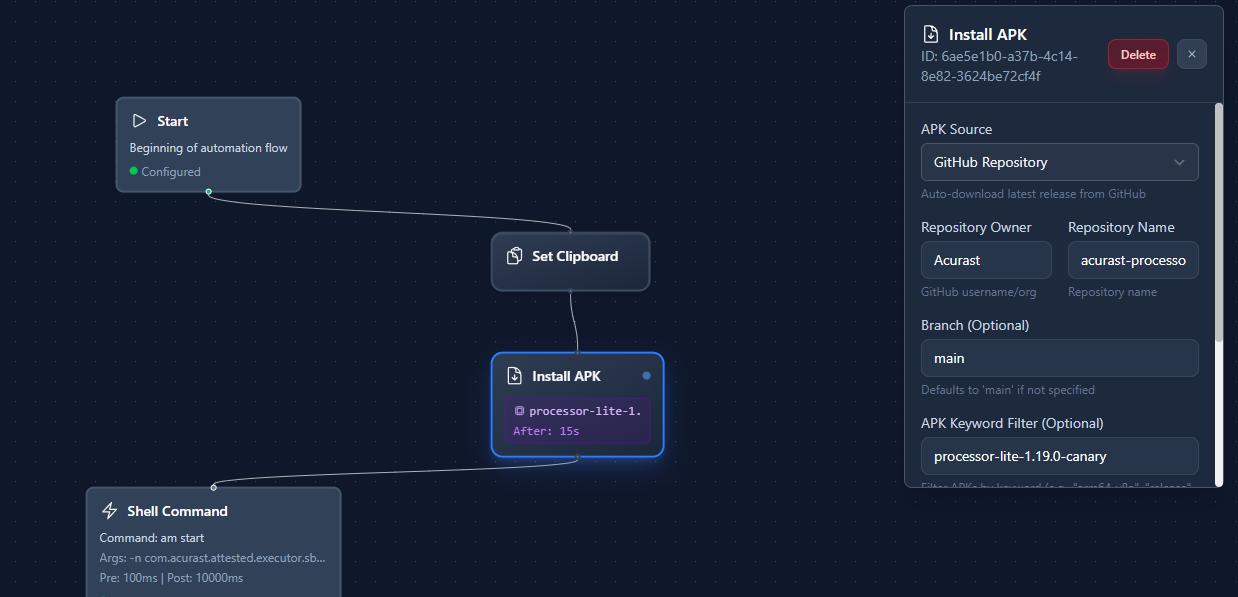
This flow:
- Installs the Acurast Processor Lite APK directly from GitHub
- Sets the device clipboard with the Acurast Work Profile QR code
- Launches the Acurast app using an ADB Shell Command
- Taps on-screen buttons in the correct sequence to complete setup
This pre-made automation is designed for HMD Vibes, the same model included in Cellhasher Classic + 20 Phones . Because other Android screens may vary slightly in resolution or layout, users may need to tweak tap coordinates for other phone models.
Download: Install-Provision-AcurastLite(HMD-Vibe).json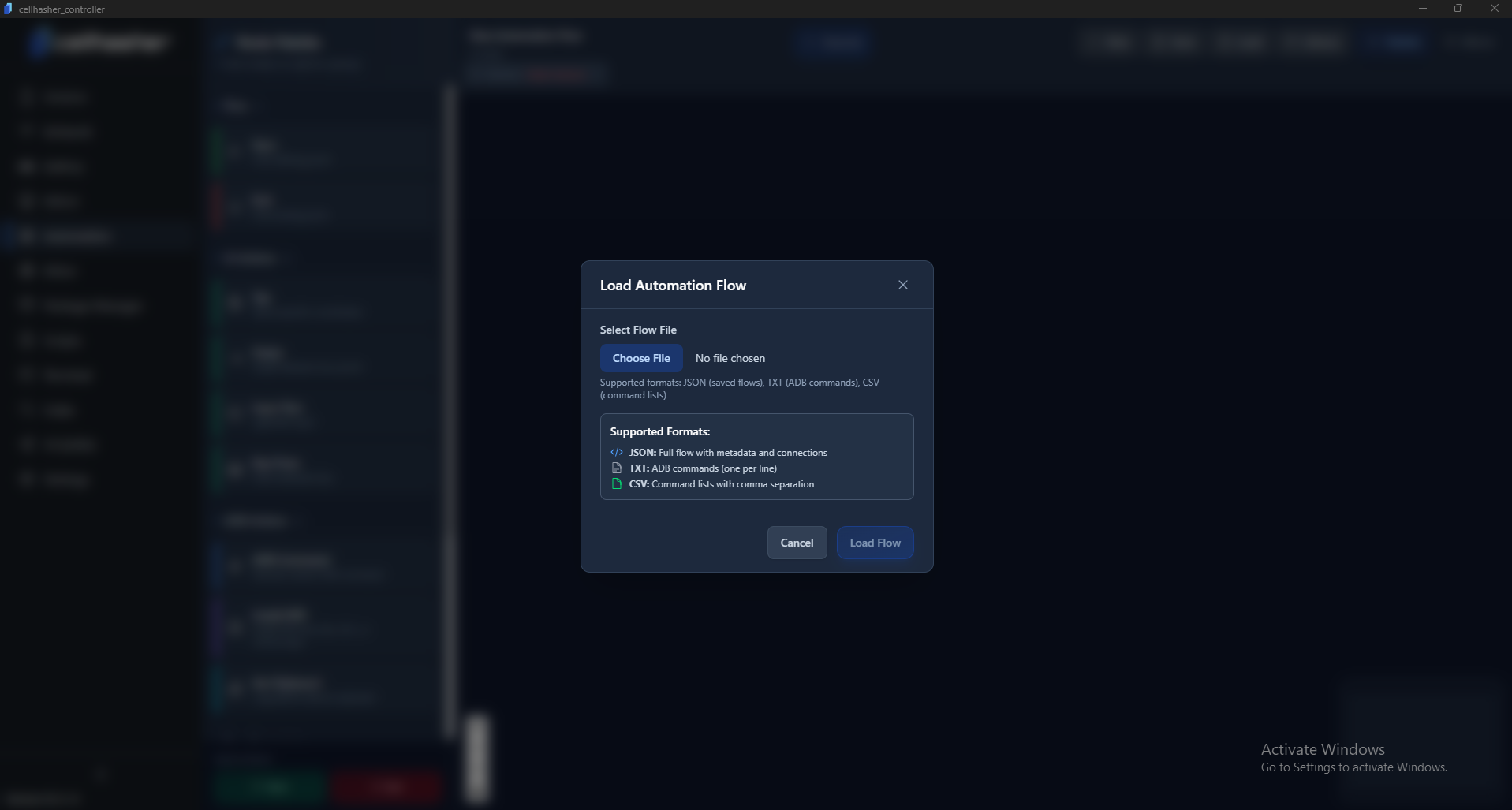
Flow Loading & Format Support
You can load and run automation flows in several formats:
| Format | Description |
|---|---|
| .JSON | Full automation flow with metadata, node structure, and connections |
| .TXT | List of ADB commands (one per line) |
| .CSV | Command lists with arguments, durations, and delays |
Tips for Creating Your Own Flows
- Use Ctrl+Click on live mirrors to build accurate Tap positions
- Add short Wait nodes between steps (2–3s) to prevent timing issues
- Save reusable flows to your Library for quick access
- Adjust Tap coordinates if using devices with different resolutions
- Combine with Terminal scripts for advanced hybrid automation
Each node has configurable pre-wait and post-wait timings to ensure stable execution across slower devices or network delays.